The Red Rock Trade app is live
Pay and get paid by member businesses from your phone, find who’s near you, and see every trade in one place.

The Red Rock Trade app is now live. It's where member businesses in St. George, Cedar City and around Southern Utah pay each other in credits, get paid, find each other and keep their records, all in one place.
A web app, on any device
The app runs in your browser at app.redrocktrade.co. There's nothing to download from an app store. It works in the browser on iPhone, Android and computers.
On your phone, add it to your Home Screen and it opens like any other app:
- iPhone, in Safari: tap Share, then Add to Home Screen, then Add.
- Android, in Chrome: tap ⋮, then Install and create shortcut, then Install.
- On a computer: in Chrome or Edge, click the install icon in the address bar. In Safari on a Mac, choose File, then Add to Dock.
The walkthrough at app.redrocktrade.co/install picks the right steps for your phone and browser. You can open it before you sign up.
What you can do in the app
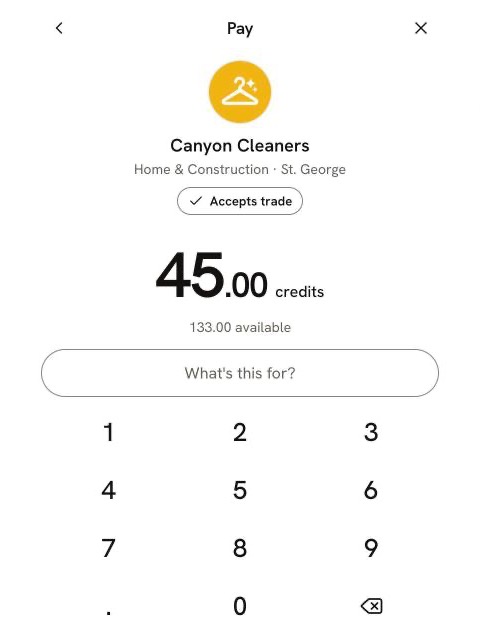
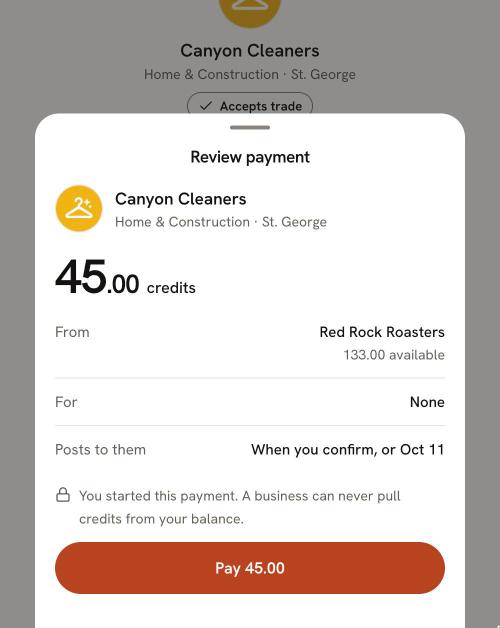
Pay a member. Tap Pay and scan the member's code at their counter or on their phone. Or search for the business, enter the amount, review it and pay. You start every payment. A business can never pull credits from your balance.
Get paid. Open Get paid to show your code, and the buyer scans it. Not face to face? Send a request with Request credits, and the buyer approves it before anything moves.
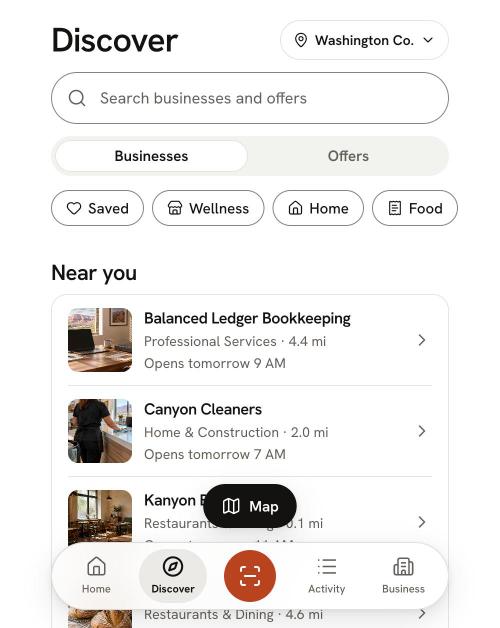
Find members. Discover lists businesses and their offers, with a search and a switch between Businesses and Offers. Tap Map to see members near you. Pins for things on your want list stand out in rust.
Keep a want list. Add what your business would buy with credits, and see which members offer it.
See every trade in Activity. Pending and posted trades, the ones that need you, monthly statements and a CSV download for your books.
Message us. Get help starts with answers to common questions. If you still need help, Message us and a real person replies. To ask about a specific trade, open it and choose Ask us about this trade.
Signing in
Sign in with your email and password, or with Google. One login can hold more than one business, and each business gets its own profile and balance.
How to join
Sign-up is online, with no call:
- 1Tell us about your business. The basics, your address and your tax ID.
- 2Choose a plan. One monthly price, with plans from $59 a month.
- 3Sign the member agreement.
- 4Pay for your membership.
There are no transaction fees. Buying and selling with credits never adds a cash fee.
Every new member starts with welcome credits to spend with any member. It's a gift, not a loan.
How credits work, in one paragraph
One credit is $1 of purchasing power with members. You earn credits by selling to other members and spend them with any member business, not just the one that bought from you. Credits post to the seller when the buyer confirms the trade, or on their own after a set number of days. If something goes wrong, the buyer can report a problem on that trade. Credits are spent only inside the network and can't be exchanged for cash. The full explainer is how credits work.
Where to get help
- In the app: Get help, then Message us.
- Email: support@redrocktrade.co
- Phone: (435) 767-0631
A real person answers every message.
Ready to start?
Get started, then read how to trade with members in the app for a step-by-step walkthrough of your first payment.
Trade with businesses near you.
Every new member starts with 100 welcome credits to spend with any member. It’s a gift, not a loan, so you never owe it back.